
Last verified 2026-09-08 · ATMons 1.3.0 · Minecraft 1.21.1 · NeoForge 21.1.249
Claim protection is enabled
AshRun uses FTB Chunks with land protection enabled. New teams default block editing, block interaction, entity interaction, and entity attacks to allies. Claims remain visible publicly on the map unless a team changes its visibility setting.
Current claim and force-load limits
- Claim ceiling
- 500 chunks per team before rank-based overrides
- Force-load ceiling
- 10 baseline chunks plus up to 6 earned slots
- Offline loading
- Disabled; a team member must be online
- Idle force-load expiry
- 14 real-world days without a team login
- Resource world claims
- Blocked by dimension policy
Earn extra force-loaded chunks through trainer progression
Everyone starts with the same 10-chunk team allowance. Playing through the installed Gym campaigns can raise your limit one step at a time; supporter ranks do not change it.
| Team limit | Milestone |
|---|---|
| 11 chunks | Defeat the first Gym Leader in any campaign |
| 12 chunks | Defeat the fourth Gym Leader in any campaign |
| 13 chunks | Earn eight badges in any campaign |
| 14 chunks | Become Champion in any campaign |
| 15 chunks | Become Champion in two campaigns |
| 16 chunks | Defeat Red or Blue, or become Champion in all three campaigns |
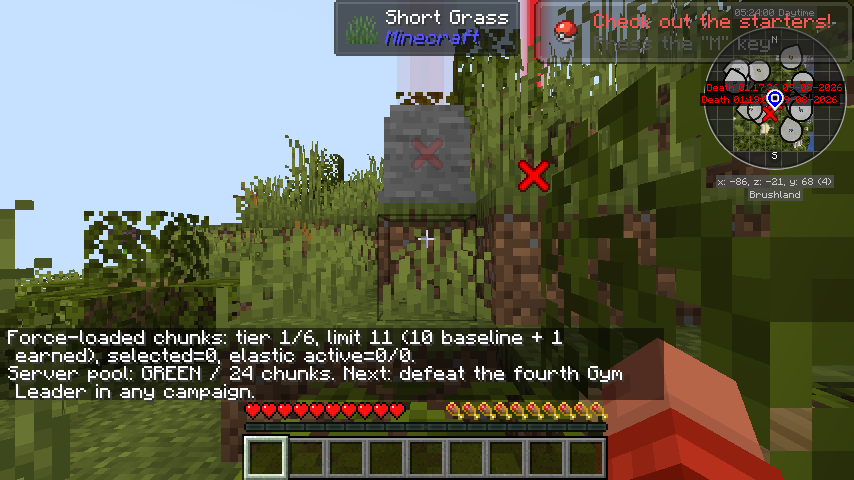
For a party, the highest earned tier among its recently active members sets the team limit. Run /ashrunchunks in game to see your tier, current selection, active extra allocation, and next milestone.
How load balancing affects extra chunks
The original 10 chunks are the protected baseline. Earned chunks above 10 share a server-wide pool distributed fairly across online teams, one round at a time. When the server is under sustained load, some extra chunks can pause temporarily and return automatically after performance recovers. The oldest selected chunks stay in the baseline, so select your most important machinery first.
Use FTB Chunks, not alternate loaders
Recipes and use are disabled for the dedicated chunk-loading paths covered by AshRun’s active server policy, including AE2 Spatial Anchors, Immersive Engineering Chunk Loaders, Mekanism Dimensional Stabilizers and Anchor Upgrades, Nature’s Aura Chunk Loaders, PneumaticCraft Chunkloader Upgrades, Steve’s Carts loader modules, and the Ars Additions chunk-loading ritual.
If an item tells you that it is prohibited, open your inventory and select FTB Chunks: Claim Manager. Left-click a map square to claim it, then Shift-click that claimed square to toggle force-loading. The counters along the bottom show both totals.
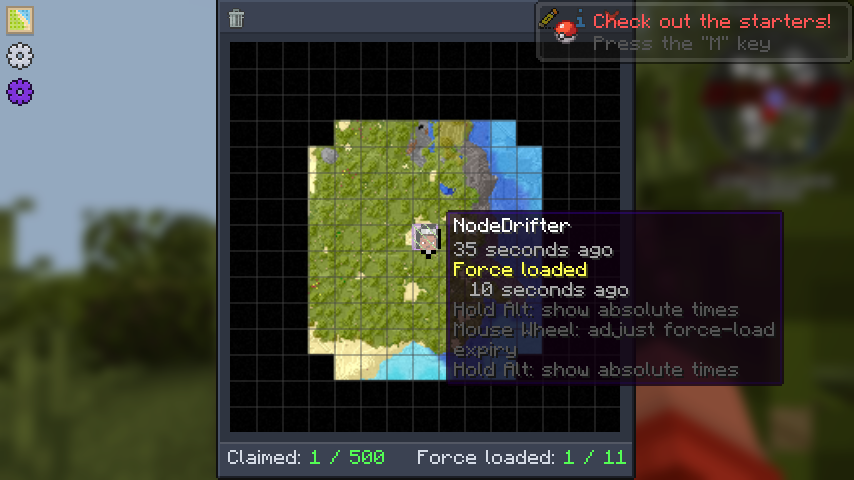
The restriction keeps loading visible, bounded, and attributable to a team.
Protect only the area you actually use
Claim your base, storage, machines, farms, and access routes. Force-load only chunks that need active processing while you are online. Large idle areas add work without helping your build, and selecting all six earned extras is optional.
Related rules
Claims do not replace the server rules. Do not crowd another player, exploit claim borders, or build systems intended to lag the server. Start with the first-hour guide if you have not made your first camp yet.